
Scan · OCR · Sign
From paper to smart PDF, in seconds.
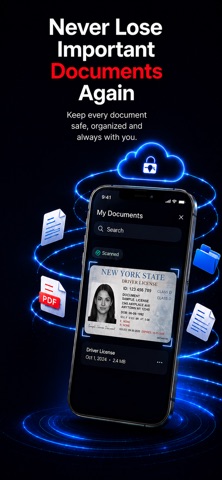
Scan documents with your camera, extract text with OCR, sign PDFs and keep everything organized — right on your iPhone.

Features
Everything your paperwork needs
From the first scan to the final signature, in one app.
-
Scan anything into PDF
Capture documents with your camera and turn them into clean, professional PDFs.
- Automatic edge detection
- Smart document cropping
- Multi-page PDFs
-
Extract text with OCR
Recognize the text in scanned documents and images in seconds.
- Create searchable PDFs
- Copy and share recognized text
- Support for multiple languages
-
Sign documents anywhere
Add your signature and complete documents without printing.
- Create and save signatures
- Add initials and dates
- Send signed PDFs instantly
-
Keep everything organized
All your important files, in one place.
- Organize documents into categories
- Quickly search your files
- Receipts, contracts, notes and records
How it works
Paper to PDF in three steps
Scan
Point your camera at a document. Edges are detected and the page is cropped for you.
Recognize & sign
Pull out the text with OCR, then add your signature, initials and date when needed.
Organize & share
Save it to a category, find it again with search and share the PDF instantly.
Made for
- Business professionals
- Students and educators
- Freelancers and consultants
- Real estate agents
- Lawyers and legal teams
- Small business owners
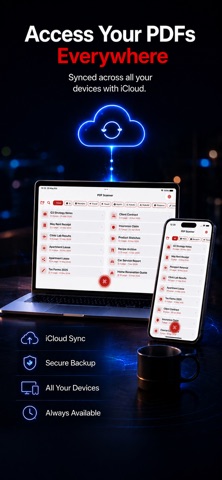
iCloud
Your documents, on all your devices
With iCloud synchronization, your documents are there whenever you need them.
- iCloud synchronization
- Cloud backup
- A seamless multi-device experience
Privacy
Your documents stay yours
PDF Scanner is designed to keep your documents under your control.
Read the Privacy Policy- Scans, PDFs, signatures and OCR text are stored on your device
- OCR is processed on device using Apple system frameworks
- Ad tracking only with your permission — Premium is ad-free
- iCloud sync and backup only when you choose to use them
FAQ
Frequently asked questions
Can't find your answer? Write to the support address and I'll get back to you.
Is PDF Scanner free?
Yes. You can download it for free and the basic features stay free. Premium features such as an ad-free experience, unlimited access and advanced tools require an active auto-renewable subscription.
Where are my documents stored?
On your device. Scanned images, PDFs, signatures and extracted OCR text stay on your device unless you choose to sync, export or share them. OCR is processed on device using Apple system frameworks.
How do I sign a PDF?
Create and save your signature once, then add it — along with initials and dates — to contracts and forms, and send the signed PDF right away.
Which devices and languages are supported?
PDF Scanner runs on iPhone and iPad with iOS 17.4 or later. The app is available in 12 languages, including English, Turkish and French.
How do I cancel my subscription?
You can view, manage or cancel your subscription anytime in your App Store account settings. It renews automatically unless it is canceled at least 24 hours before the current period ends.
Need help?
Questions, suggestions or a bug to report? Send me an email.